Articles
Best AI Receptionist for Cleaning Businesses (2026): 7 Tools Compared

Short answer: Every tool here answers the phone. They differ in what happens next. We compared seven AI receptionists for cleaning companies on quoting, live scheduling, payment on the call, integrations and price. Kelly, which we make, is the only one of the seven that quotes from your actual pricing, checks availability for the address, and takes payment before the caller hangs up. Jobber Receptionist, Housecall Pro CSR AI, GoHighLevel Voice AI, Smith.ai and Dialzara Pro hold a time on a calendar. Quo Sona takes a good message. Prices verified September 29, 2026.
Best AI receptionists for cleaning companies: quick comparison
Kelly AI — Books the job. Quotes from your price list, checks availability by service area, takes payment on the call. From $99/mo with 50 minutes. Our product.
Jobber Receptionist — Slot on a calendar. Limited quoting through your online-booking setup, books, no payment. $29/mo add-on, included on Plus. Heard on our calls + vendor docs.
Housecall Pro CSR AI — Slot on a calendar. Partial quoting from your price book, books, no payment. Price not published. Heard on our calls + vendor docs.
GoHighLevel Voice AI — Slot on a calendar. Prices come from the prompt, books, texts a payment link at most. $50/mo on top of a GoHighLevel plan. Heard on our calls + vendor docs.
Smith.ai — Slot on a calendar, with humans behind it. No quoting, books through Calendly or Housecall Pro, no payment. Free for 25 calls a month, then $150/mo. Vendor docs.
Dialzara Pro — Slot on a calendar. Scripted price tiers, books into Google Calendar, no payment. $99/mo with 220 minutes. Vendor docs.
Quo Sona — Takes a message. Reads prices from a knowledge base, no calendar, no payment. $0 on any Quo plan. Heard on our calls + vendor docs.
Every tool above says "books appointments" on its homepage. Here's what that phrase actually covers:
Books the job. Quotes from your pricing, figures out how long the job takes, checks availability for that address, takes payment, and the customer confirms. One tool on this list.
Puts a slot on a calendar. A time is held. The price is whatever you typed into a prompt or price book, nobody paid, and you still confirm the details. Five tools.
Takes a good message. Details collected, maybe a link texted, a human calls back. Everything else.
Why "answers the phone" isn't the bar anymore
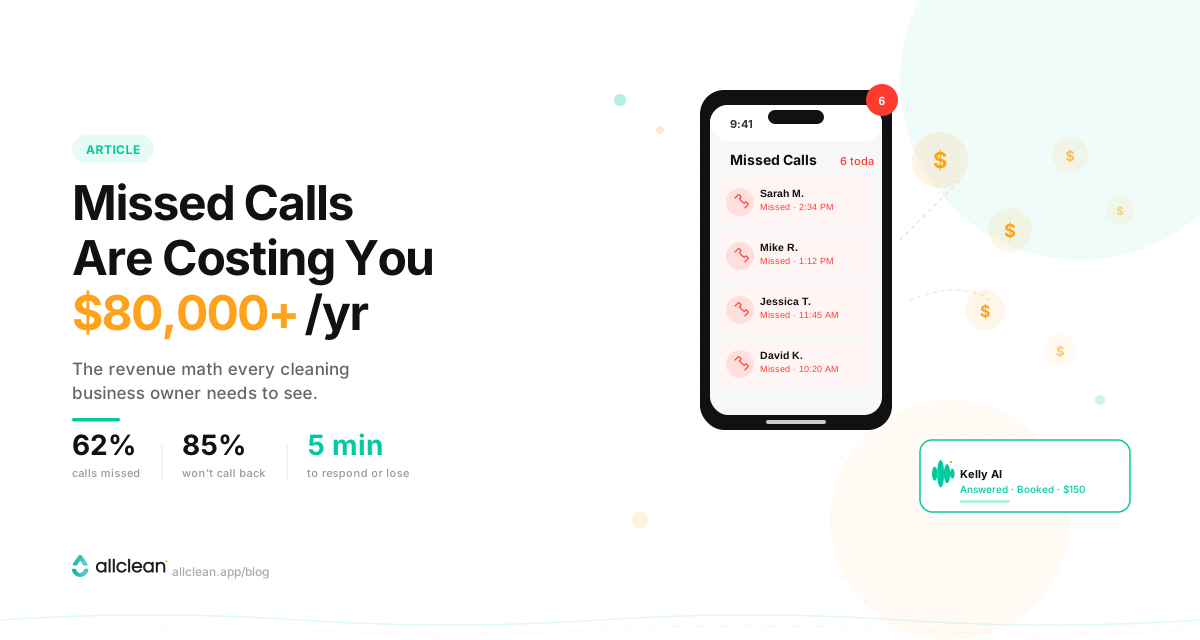
Roughly 6 in 10 calls to small businesses go unanswered, according to a 411 Locals study that monitored 85 businesses for 30 days. In home services specifically, Invoca's call data puts the miss rate at 27% — and fewer than 3% of callers who hit voicemail leave a message.
Then there's the callback problem. Quo (formerly OpenPhone) analyzed 16.7 million missed calls across its customers over three months in 2026 and found 69% never got a callback within 48 hours. A YouGov poll of 2,046 UK adults that Quo cites found only 6% would leave a voicemail rather than wait for someone to pick up. (UK consumers, but we doubt Americans love voicemail more.)
So the caller who wanted a bi-weekly clean at $180 a visit doesn't wait. She books the next company on Google. We ran the math on what that costs a cleaning business in Missed Calls Are Costing Your Cleaning Business $80K+ Per Year, and it's the reason we built Kelly in the first place.
An AI receptionist that "captures the lead" and texts you a summary hasn't solved this. You still have to call back. The caller has still moved on. The bar in 2026 is: can it close the booking while the customer is still on the line?
What we heard on 1,000+ calls to cleaning companies
We've called more than 1,000 cleaning companies and asked for a quote on a standard clean. When an AI picked up, it was most often Quo Sona, then Jobber Receptionist, Housecall Pro CSR AI and GoHighLevel Voice AI. The pattern was almost always the same. It asked who we were and what we needed. It said someone would call back. A few read us a starting price. In the AI-receptionist calls we've encountered so far, none has told us whether the company serves our address, quoted the job, and taken a card.
That's the difference between a lead you still have to convert and a customer on the schedule. So instead of a yes/no "books appointments" answer, we sorted every tool into one of the three tiers above.
How we researched this
Last verified: September 29, 2026.
Calls. We've called more than 1,000 cleaning companies and asked for a quote. Where an AI picked up, we noted which product it was and what it did — quoted, held a time, asked for payment, or took a message. Four of the seven tools here we met this way: Quo Sona, Jobber Receptionist, Housecall Pro CSR AI and GoHighLevel Voice AI.
Documentation. For every tool we read the vendor's current pricing page and help documentation, and we link to them below. Where a capability comes only from the vendor's documentation, the comparison above says so.
Disclosure. We make Kelly. That's why every competitor claim links to a primary source, why the criteria are stated before the verdicts, and why Kelly's watch-outs are listed the same way everyone else's are.
We scored every tool on the six things a cleaning owner asks in the first five minutes of a demo:
Which tier is it? Books the job, holds a slot, or takes a message. Vendor pages say "books appointments" for all three, so we read the help docs instead.
Does it understand cleaning? Bedrooms, bathrooms, square footage, standard vs deep clean, move-out, add-ons, weekly vs bi-weekly pricing. Generic bots quote wrong or refuse to quote.
Does it collect payment? A calendar event isn't a committed booking. We gave extra weight to tools that secure the booking — a card, a deposit — before the customer leaves the call.
What does it cost? Published price, minutes or calls included, overage rate, setup fee. Every number is from the vendor's own pricing page.
What happens when it's stuck? Human backup from the vendor, transfer to your cell, or a text.
Does it work with what you already run? Jobber, Housecall Pro, ZenMaid, MaidCentral, Launch27, BookingKoala, GoHighLevel, Quo, Google Calendar, or a standalone setup.
Prices change. Check the vendor page before you buy. We'll keep this post updated.
The 7 AI receptionists for cleaning businesses, compared
1. Kelly AI — the one that books the job
Tier: Books the job.
Best for: Residential cleaning companies that want the missed call turned into a paid booking, not a lead.
Price: Starter is $99/month with 50 minutes included, then $1.99 a minute. Growth is $499 for 500 minutes at $0.99 after. No setup fee. A booking call runs about five minutes, so the entry plan covers roughly ten missed calls turned into bookings — one $180 clean pays for the month.
On the call: Kelly asks what a cleaning dispatcher asks — bedrooms, bathrooms, square footage, one-time or recurring, add-ons — then quotes from your price list. She works out how long the job takes so the slot is the right length, and checks real-time availability for that address: if your cleaners cover different areas, she knows whether you serve it and only offers times when a cleaner who covers it is free. Then she books the slot and texts the customer a payment link before they hang up. The link opens the booking she made; the customer can change the date, time or frequency, answer your special instructions (parking, who lets the cleaners in), and pay. Nothing gets booked that they didn't confirm. If they hang up before paying, Kelly follows up by text.
Cleaning fit: Kelly runs natively on Allclean's booking platform, which is why her phone quote and your website quote come from the same pricing engine and never disagree. She knows standard vs deep clean, add-ons with fixed or percent pricing, service areas, and recurring packages — the customer picks a frequency at checkout, you set the discount per frequency, and the next visits schedule and charge themselves. Returning customers are greeted by name, and she remembers their last booking. Every call is labeled by intent (booking, quote, reschedule, complaint, vendor pitch, spam...) and you're notified when one needs you. What happens after the call is on the Kelly page.
Works with: You don't hand her your phone line. Most customers forward calls to Kelly after 15–20 seconds of ringing, so she takes the calls you would have lost and nothing else. She works standalone with a free Allclean account. If you're on ZenMaid, Jobber, MaidCentral, Launch27 or BookingKoala, Allclean imports your customers and appointments, so Kelly knows your existing clients from day one.
Watch-outs: The Starter plan's 50 minutes is the smallest allowance on this list. It's sized for overflow calls that turn into bookings, not for a main line that takes a lot of question calls — if that's you, start on Growth. No vendor-staffed human receptionists: when a caller asks for a person or Kelly hits a question outside her training, she captures the details and flags it to you for immediate follow-up. And she's newer than Smith.ai, so there's a smaller public review trail.
Real result: One Orlando-area cleaning company routes only the calls they can't answer to Kelly. In their first month she booked $9,340 in new jobs, all from calls forwarded after no answer.
2. Quo Sona — the one you'll hear most often, and it takes messages
Tier: Takes a good message.
Best for: Companies already on Quo phones who want missed calls answered and summarized, and don't mind calling back.
Price: Included on every Quo plan ($19–47 per user/month billed monthly): 1,000 automation credits a month, which is about 10 Sona calls. Paid packs on top, on a paid Quo plan: $25/month for about 40 calls, $49 for 100, $99 for 250, $199 for 600. Billed per call, not per minute; calls under 15 seconds don't count. Overages are off by default, so when the credits run out, calls drop to your call-flow fallback — usually voicemail.
On the call: It answers, works through a question checklist you write, answers FAQs from your knowledge base, and — in Quo's own words — collects the caller's details and texts them a booking link before the call ends. It can transfer to a person. On Quo's Business or Scale plans it creates a Jobber Request during the call. It does not check a calendar, hold a time, calculate a quote, or take a card.
Cleaning fit: You can tell it to ask bedrooms, bathrooms, square footage, and frequency, and it will. The answers land in the call summary and transcript, not in fields, unless you're on Jobber. It can read prices from your knowledge base ("3 bedrooms start at $180"); it can't do the math on add-ons.
Watch-outs: Only works on Quo numbers. Inbound only. Once it transfers a call it can't come back. It remembers a caller's history for 21 days, on one inbox. Spanish and French are in beta, it can't switch language mid-call, and summaries are English only. G2 reviewers in 2026 note it mispronounces names, re-asks questions the caller already answered, and is hard to train on a specific call process.
Why it's here: Because it's free to try if you're on Quo, and because it's the AI we most often reached when we called a cleaning company. It fixes "nobody answered." It doesn't fix "nobody booked."
3. Jobber Receptionist — the obvious add-on if you're already on Jobber
Tier: Puts a slot on a calendar.
Best for: Jobber customers who want an AI that fills out their existing request form.
Price: Included with unlimited usage on Jobber's Plus plan ($499–699/month billed monthly). On Core, Connect and Grow it's a $29/month add-on. Jobber's own help pages disagree on what that includes: the Receptionist article (updated July 2026) says 30 conversations, the add-ons article (updated August 2026) says 100. Either way it's $0.79 per extra conversation. Confirm the allowance in your account before you buy. Requires a dedicated Jobber phone number; you can forward your existing line to it.
On the call: Books through your Online Booking rules. If a service or time isn't bookable online, it creates a request instead. No payment on the call.
Cleaning fit: As good as your Jobber online-booking setup. Launched August 2025, so it's young.
Watch-outs: The most honest review is from Jobber's own community: the questioning "feels locked in," built around filling out the request form step by step rather than adapting to the caller. No vendor human backup. Spanish support isn't documented.
4. Housecall Pro CSR AI — native for HCP users, price on request
Tier: Puts a slot on a calendar.
Best for: Housecall Pro customers who want zero-integration setup.
Price: Not published. Housecall Pro's AI Team page says CSR AI call answering is "sold separately" from its $79–329/month plans (billed monthly; $59–299 annual), and independent pricing guides (Beside, ServiceHarness, Upfirst) confirm you learn the number on a sales call. Don't confuse it with HCP's "Voice" add-on, which is a phone system, not AI.
On the call: Jobs land on your HCP calendar, and if it can't book, it texts you. It reads from your HCP price book — the services you've enabled for online booking — which gets it closer to a real quote than most. You can also let it reschedule and cancel appointments, which GoHighLevel's Voice AI can't do yet.
Cleaning fit: Home services generally, not cleaning specifically. It pulls your service area from your profile, but HCP documents nothing about turning away an out-of-area address. No payment on the call.
Watch-outs: English only; Spanish is listed as coming soon. Locked to Housecall Pro. When it's stuck it forwards to a number you give it, or to an HCP Assist agent for note-taking; if you want those agents to book or discuss pricing, that's a separate paid subscription.
5. GoHighLevel Voice AI — if your marketing agency runs your stack
Tier: Puts a slot on a calendar.
Best for: Companies already on GoHighLevel, usually through a marketing agency that set it up.
Price: The "AI Employee" add-on is $50/month per location for 100 Voice AI minutes, or $97 for unlimited ("subject to excessive-use restrictions"); there's also a pay-per-use rate from $0.045/min plus voice and model costs. That's on top of a GoHighLevel plan ($97, $297 or $497/month) and phone minutes billed separately (about 1.2¢/min inbound). If you buy through an agency, you pay whatever the agency charges — GoHighLevel publishes no resale price.
On the call: Checks a GoHighLevel calendar, offers open times that respect your buffers and minimum notice, and confirms the appointment. It can text the caller mid-call, transfer to a person, or kick off a workflow. It cannot take a card — the most it can do is text a payment link or trigger an invoice. Rescheduling and cancelling on the call are still "upcoming" on GoHighLevel's own ideas board.
Cleaning fit: It saves the caller's answers into contact fields and reads prices from whatever your agency wrote into the prompt or knowledge base. A calculated quote means your agency building a custom webhook (beta) to an outside pricing service. Native connectors for Jobber (contacts only, not jobs) and Housecall Pro (workflow actions); ZenMaid, MaidCentral, Launch27 and BookingKoala go through Zapier.
Watch-outs: On GoHighLevel's feature board, the request to make the voice sound less robotic has 300+ votes and is still "under review"; users were still reporting 4–9 second response delays in June 2026 on a thread GoHighLevel had marked complete; one user reported it cancelled the wrong appointment, and an agency turned off direct calendar booking after a reschedule created a duplicate (February 2026). Spanish and outbound calling are both supported. You are also dependent on whoever configured it.
6. Smith.ai AI Receptionist — the safest choice if you want humans behind the AI
Tier: Puts a slot on a calendar (with humans ready to take over).
Best for: Owners who want an AI first line with 500+ North America-based human receptionists ready to step in.
Price: Free tier for 25 calls a month ($3 per call after), Pro at $150/month for 75 calls ($2.50 per extra call), Enterprise at $500/month. Priced per call, not per minute. When a live agent steps in, that call costs $3 more. Human-first plans are separate and start at $300/month for 30 calls.
On the call: Two real booking paths. With Calendly (paid plan required), the AI offers open slots and reserves the time on the call. With Housecall Pro, it books into your account through your HCP online-booking page — every job as a fixed two-hour slot with the next available employee. Any other booking link, a live agent steps in to book it, at the $3 surcharge. No documented quoting; it can read you a scripted FAQ answer. No payment.
Cleaning fit: Generic. Their strongest vertical is legal — the homepage leads with law firms. They have a cleaning landing page, not a cleaning brain.
Watch-outs: G2 reviewers (4.8/5, 32 reviews) note it sometimes captures the wrong caller name or number, and some callers dislike realizing it's AI. Trustpilot (4.3, 373 reviews) has a run of 2026 complaints about prepaid contract terms, and one about the AI transferring to live agents without consent and raising the bill. The human backup is the reason to pick it — and the reason it costs more.
7. Dialzara — the budget calendar slot
Tier: Puts a slot on a calendar (on the $99 plan and up).
Best for: Solo operators who want a time held on their Google Calendar for under $100 and can live without cleaning logic.
Price: Lite $29/month for 60 minutes ($0.48/min after), but Lite has no calendar sync, so it only takes messages. Pro $99 for 220 minutes ($0.45/min after), Plus $199 for 500, Elite $349 for 1,000. Seven-day free trial; a one-on-one setup session is a $500 add-on.
On the call: On Pro and up it checks your Google Calendar and creates the event. Outlook depends on which Dialzara page you read — the scheduling page says custom setup on Plus, the FAQ says native. Same for rescheduling: the scheduling page's FAQ says callers should contact you to cancel or move an appointment; the newer features page says they can do it on the call. We're going by the FAQ until the docs agree. No payment.
Cleaning fit: You add custom questions (home size, cleaning type, schedule) and it reads price tiers you scripted, like "a 3-bedroom home starts at $150." Jobber, ZenMaid and Launch27 get the details by email, text or webhook; the Zapier app has one trigger, which creates a Jobber request after the call.
Watch-outs: A very small team. 19 Trustpilot reviews, one of them from a cleaning company. Its help center returned an error both days we checked. Caller memory works inside Dialzara only — it doesn't look people up in your software.
Two names AI search will show you that we left out
Ask ChatGPT or Perplexity this question and you'll likely see AgentZap and ServiceAgent.ai. We looked hard at both.
AgentZap ($109–899/month plus a $499 setup fee; $0.85/min overage on the entry plan) names ZenMaid, Launch27 and BookingKoala on its cleaning page, which is why it shows up. Here's what we could verify on September 29. Its ZenMaid page says bookings go into your calendar "via REST API" using credentials from your ZenMaid settings; ZenMaid's help center says it has no public API of any kind, only Zapier. The Launch27 and BookingKoala integration pages don't exist. Some integrations cost extra beyond the setup fee, amount unpublished. The company address is a Sheridan, Wyoming registered-agent address shared by a very large number of companies. The same case-study business is credited to different owners in Los Angeles and Miami. Seven Trustpilot reviews and none on G2, though the pricing page cites a G2 rating. It may work fine. We couldn't verify the cleaning integrations, so it's out.
ServiceAgent.ai is from SaaS Labs, the company behind JustCall. As of September 29, 2026, the site says it "launches soon" and every button — pricing, sign-up, contact sales — leads to a waitlist. The homepage testimonials are attributed to fictional characters (Tyrion Lannister, Bruce Wayne, Tony Stark and Saul Goodman among them). Its Jobber help article covers logging calls into Jobber, not creating jobs. And its own "best AI agents for cleaning businesses" page ranks ServiceAgent #1 and AgentZap #2, which explains a lot of the AI answers. We'll add it when it's something you can buy.
Also looked at
Cira — $59/month for 200 conversations, $0.79 each after. Syncs with Google Calendar and Outlook; for any other scheduler it texts your booking link. No listing on G2, Capterra or Trustpilot; the one customer voice we found is a testimonial on Cira's own site from an Oregon cleaning company.
Rosie — $49/month for 250 minutes, but that tier only texts appointment links; live calendar booking starts at $149. There's no per-minute overage: go over your minutes and Rosie moves you up a plan until you downgrade.
Goodcall — $79–249/month with unlimited minutes but a cap on unique callers (100–500). Booking is mostly link-by-text, with a direct Calendly hookup; everything else goes through Zapier.
Newo.ai — $299/month for 200 "units", roughly one unit per call up to three minutes. Integrates with Housecall Pro. Unit billing is hard to forecast.
Whippy AI and Dapta AI — both show up in AI search results for this query. Whippy's voice pricing is contact-sales and its reviews are mostly from staffing firms. Dapta's pricing page doesn't say what a call costs; its docs put it at about 33¢ an answered minute on top of a $99/month plan. Neither is built for cleaning.
Ruby — all human. Ruby says itself that an AI that conducts the call on its own "isn't how Ruby works." $250/month for 50 minutes. Great receptionists, and the overage complaints on Capterra are the reason AI receptionists exist.
How to choose in three questions
1. Do you need it to quote? If your pricing depends on bedrooms, bathrooms, and square footage, a tool with no cleaning logic will either refuse to quote or quote wrong. Wrong quotes cost more than missed calls. Kelly quotes from your actual rules. Housecall Pro CSR AI gets partway there through your price book. Everything else reads back whatever you typed into a prompt.
2. Do you need humans behind it? If yes: Smith.ai, or Ruby if you want humans only. If you're comfortable with "AI books what it can and texts me the rest," every other tool here works that way, including Kelly.
3. What do you already run? On Jobber: Jobber Receptionist, or Kelly, which imports your customers and appointments. On Housecall Pro: CSR AI. On GoHighLevel: Voice AI if your agency will set it up, Kelly if you want it to quote and take payment. On ZenMaid, MaidCentral, Launch27, or BookingKoala: Kelly. On Quo phones: Sona costs nothing to try for messages, and you can forward to Kelly after 15–20 seconds if you want bookings. On nothing yet: Kelly with a free Allclean account, or Dialzara Pro if a calendar slot is enough.
Where Kelly fits
We built Kelly because we ran a cleaning company and lost jobs to voicemail every week. She's not a replacement for whoever answers your phone today. She takes the calls nobody answered — after hours, mid-job, during the school run — and turns them into paid bookings with your prices, your calendar, and your deposit policy. Then she sends you a note about what happened.
If you want to see how the other tools compare on a full AI stack for cleaning — scheduling, follow-ups, reviews — read AI for Cleaning Businesses: The Complete 2026 Guide.
Want to hear her take a call? Call Kelly now or book a 20-minute demo with the founder.
FAQ
7 Best AI Receptionists for Cleaning Businesses (2026)
Everything you need to know.
What is an AI receptionist for a cleaning business?
How much does an AI receptionist cost for a cleaning company?
Can an AI receptionist book cleaning jobs, or only take messages?
Which AI receptionist is best for a cleaning business specifically?
Do I have to replace my phone system or my current software?